Playbooks
Save the setup, invalidation, risk, and market rules every review should use.
A guided process journal for discretionary traders
Free beta · No payment step
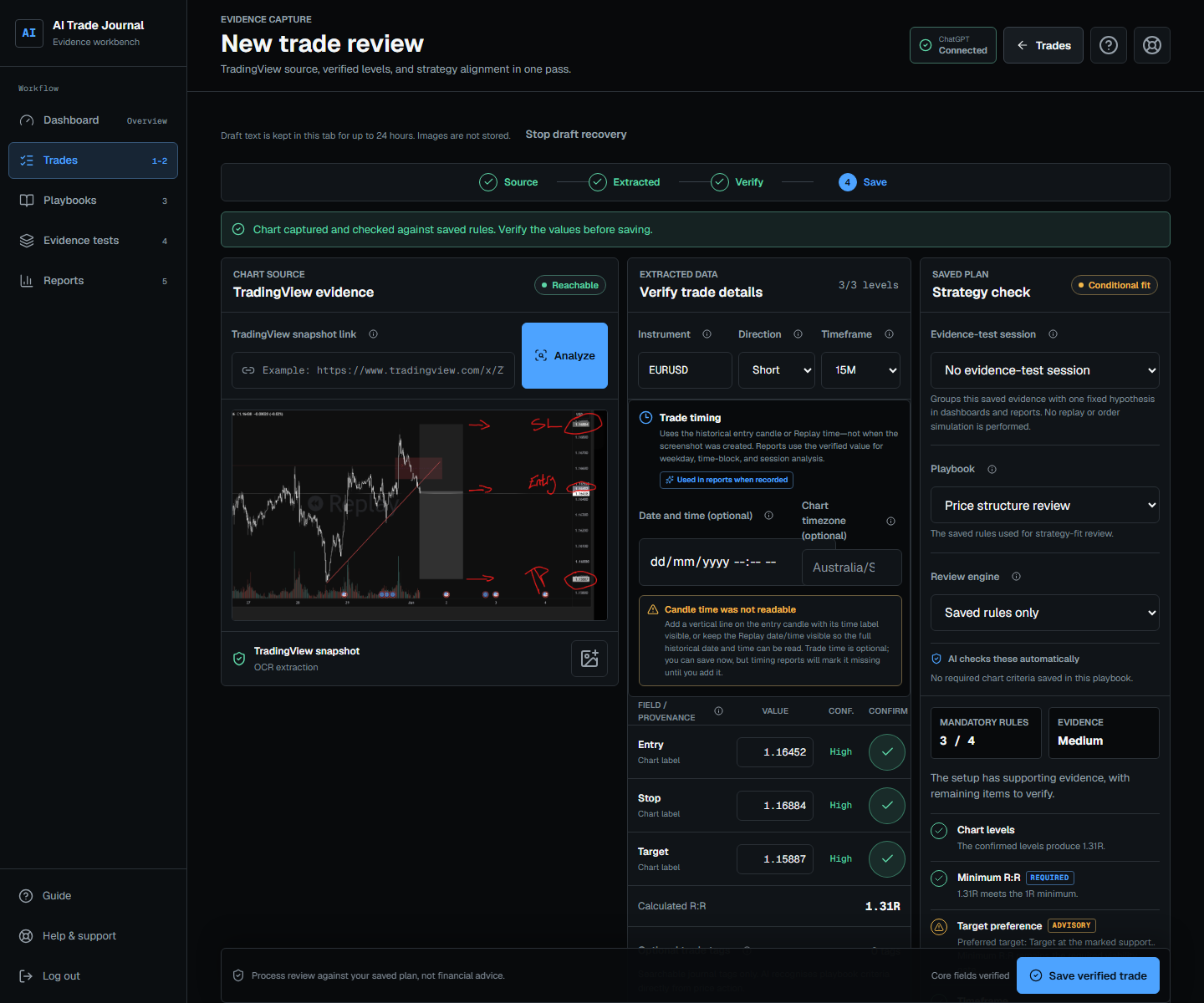
Start with one TradingView chart, verify the editable evidence, and save your first useful record. Add a playbook and evidence test when you are ready to turn repeated trades into a testable strategy.
The complete journal
No single total can explain a trader testing several instruments and strategies. The journal preserves the hierarchy from playbook to session to individual trade, then carries that scope into dashboards and reports.
Save the setup, invalidation, risk, and market rules every review should use.
Keep each hypothesis, instrument, timeframe, and test period in its own historical evidence cohort. No replay or order simulation.
Turn a TradingView link or chart image into an editable evidence preview before save.
Add follow-up evidence, close the trade, and compare the original plan with what happened.
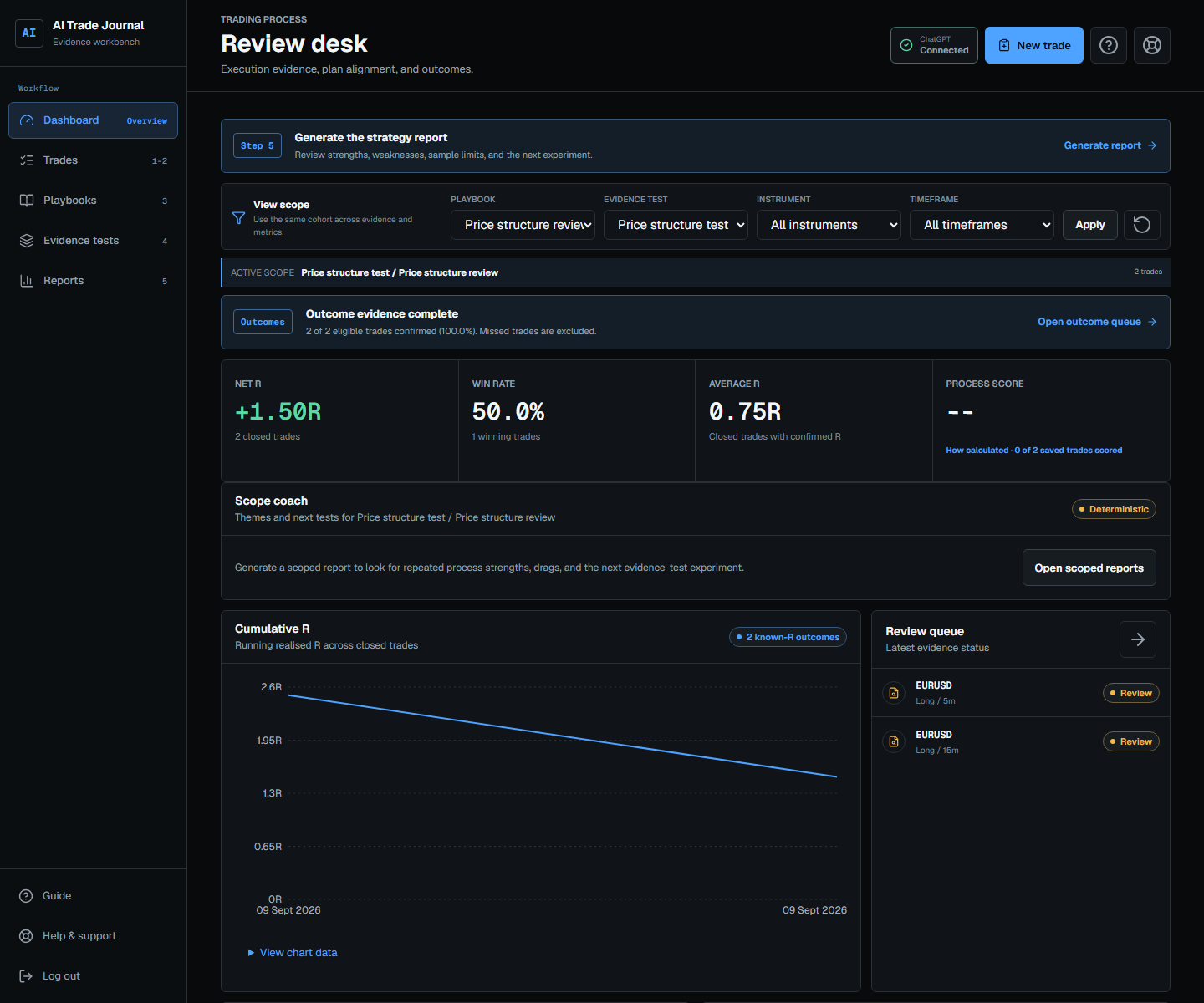
Filter metrics by playbook, evidence test, instrument, and timeframe without blending unrelated trades.
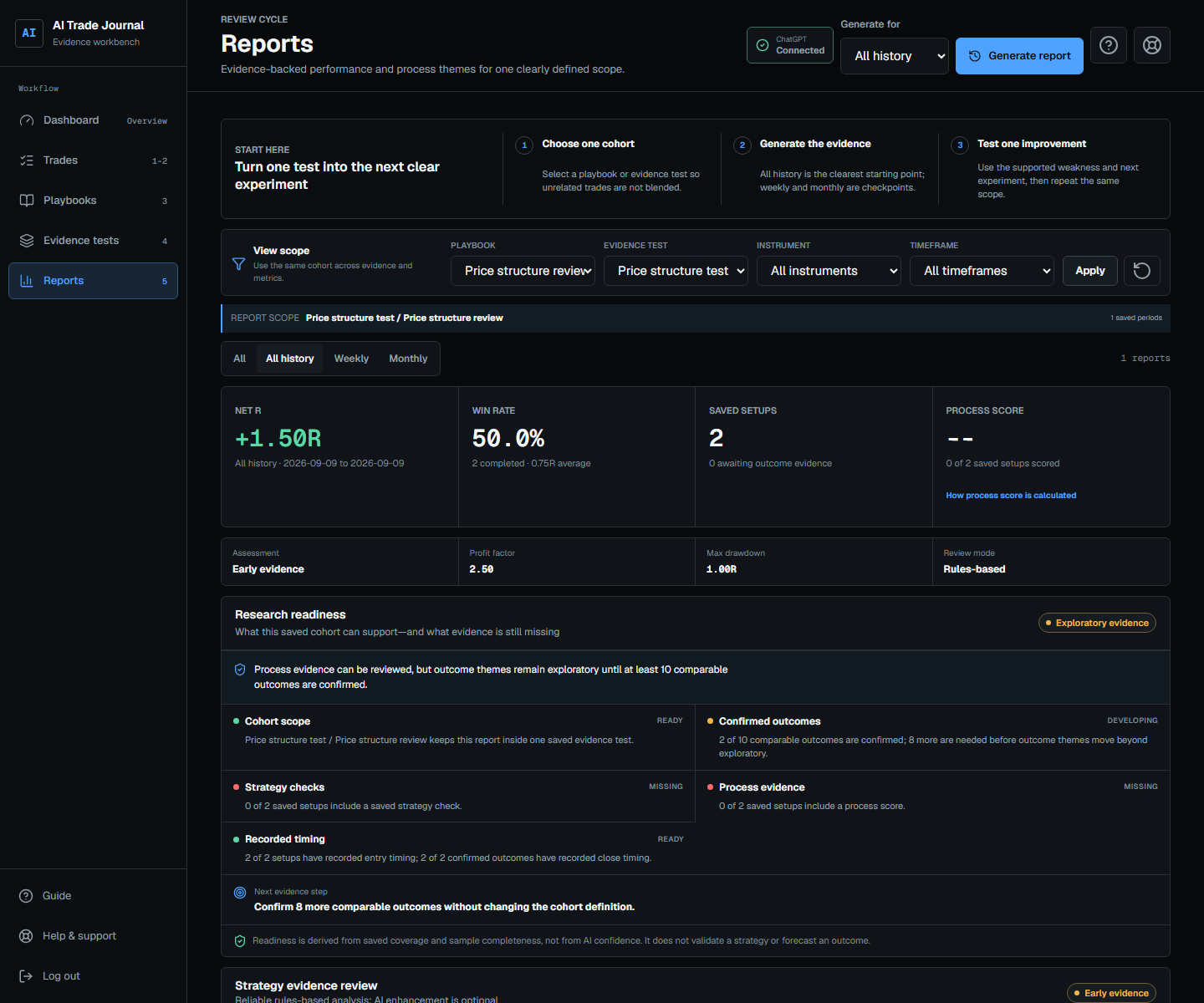
Review timing, process, and outcome themes with visible sample-size cautions.
Your path from setup to insight
You do not need to know the whole product on day one. Complete each stage in order; the output of one becomes the input to the next.
Start at step oneYour private workspace keeps playbooks, chart evidence, outcomes, and reports together.
Output: Workspace readyPaste a TradingView link or choose an image, then verify the editable preview before saving.
Output: First useful recordReturn with the completed chart and confirm the result, timing, and realised R.
Output: Plan compared with resultWhen the basic workflow is clear, save the observable strategy rules future reviews should check.
Output: Rules to checkUse a bounded session when you have one hypothesis, instrument, and timeframe to test against saved historical evidence.
Output: Test scope fixedRead strengths, process drags, drawdown, timing patterns, sample limits, and the next experiment.
Output: Decision-ready reviewKeep what is supported, test one improvement, and compare the next sample with the same scope.
Output: A tighter strategyClean cohort analysis
Start with the whole journal, then narrow to one playbook, one evidence test, one instrument, or one timeframe. The active scope stays visible beside the sample size so mixed evidence is never mistaken for one system.
AI with boundaries
Reports that stay honest
Trade and follow-up timestamps let reports compare weekdays, recorded local time blocks, market sessions, outcome timing, and holding periods. Themes stay tied to the chosen playbook or evidence test.
Browser connection
Sign in to the journal normally, then authorize your own ChatGPT account on the official website with a one-time device code. There is nothing to install, and the journal remains usable in deterministic degraded mode when AI is unavailable.
Before you start
The detailed setup guide, field explanations, best practices, and troubleshooting live inside every signed-in workspace.
No. It reviews evidence against the rules you saved. It does not execute orders, predict profit, or issue buy and sell instructions.
Yes. Manual editing, deterministic extraction, risk/reward, and saved-rule checks remain available. The interface states clearly when AI review is unavailable.
A playbook is the reusable strategy. An evidence-test session is one bounded historical cohort using that strategy. It does not replay market data or simulate orders. Keeping both prevents unrelated tests from being blended in dashboards and reports.
Yes. The responsive website starts a device-code OAuth flow that completes on the official ChatGPT website in your browser; no installed app folder or terminal is required.
Verify the core levels, choose the correct playbook or session, record the chart timezone and trade time, then add follow-up evidence and its timestamp. Consistent evidence creates meaningful cohorts.
Build the evidence
Start with one verified chart. Add rules and a bounded test when you are ready.